The Insanely Fast Moodboard Workflow for Design Studios
Go from Pinterest inspiration to a client-ready presentation in minutes. This guide unveils a power-user workflow for design agencies & studios using Pinner, FillSwap, and RePic.
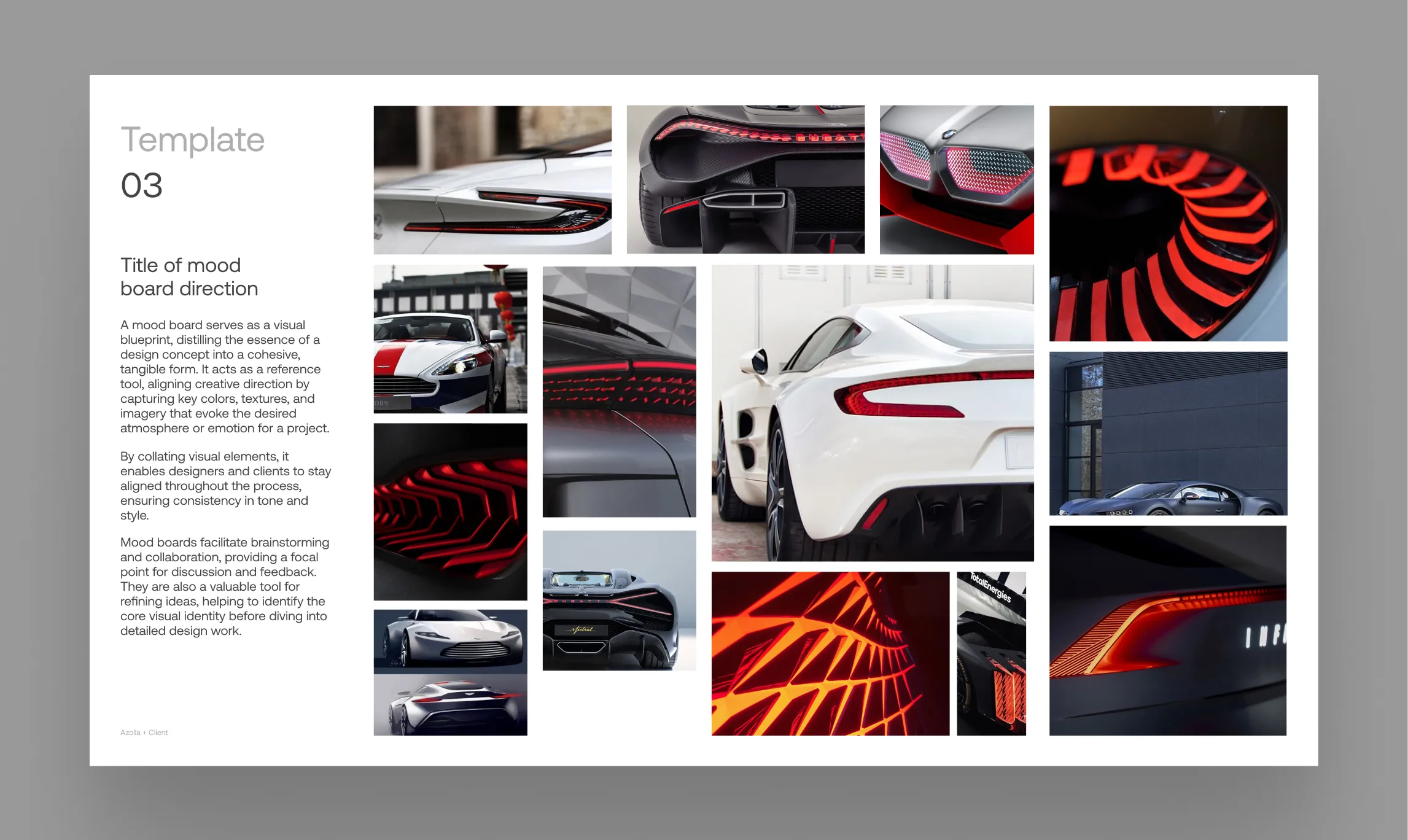 * Pins displayed on this website are sourced directly from Pinterest and are the property of their respective owners or creators.
For design agencies, the clock is always ticking. The pressure to go from initial concept to a compelling, client-ready presentation is immense. Moodboards are the foundation of this process, but building them can be a tedious, creativity-killing grind.
This guide is for graphic designers and creative studios. We’ll show you how to combine a suite of powerful tools to create an insanely fast, turbo-charged workflow that gets you from a blank template to a polished presentation in minutes.
The Toolkit: Your Creative Arsenal
Pinterest: The Inspiration Engine
Utilize Pinterest’s insane discovery engine to dig deep and incredibly fast into visual concepts, finding related styles and aesthetics that perfectly match your brief.
Visit: Pinterest.comPinner: The Pinterest Bridge
Pinner is the live connection that ports your research over to Figma. It bridges the gap, turning your curated Pinterest boards into a tangible content library right on your canvas.
Available here: PinnerRePic: The Bulk Replacement Powerhouse
Built for the initial overhaul. It applies a batch of images to specific layers across multiple frames at once, saving you from countless manual clicks.
Available here: RePicFillSwap: Experimentation & Refinement
Where the magic happens. FillSwap is built for rapid iteration, letting you cycle through hundreds of visual combinations to find the perfect mood and composition.
Available here: FillSwapThe Workflow: From Pinterest to Presentation
Step 1
Grab your Agency Template
Open your go-to presentation or moodboard template in Figma. It likely has a mix of large hero image frames and smaller, complementary placeholders.
Step 2
Import Your Scrap
Run Pinner and import the entire Pinterest board for your project. This creates a neatly organized grid of all your potential images right on the canvas. This is your content palette.
Step 3
The One-Click Overhaul with RePic
First, we need to get rid of all the old template images. RePic is designed for a fast, ordered workflow that doesn’t require clicking through UI menus:
- First, select your targets: Select all the frames in your presentation template that you want to replace. You can select parent frames, and RePic will hunt down all the image fills within them.
- Next, select your sources: Select the images from your Pinner board that you want to use. You can even select the entire Pinner board frame, and RePic will cycle through the images until every target is filled.
Run the plugin, and in one click, your entire template is populated with fresh content.
Step 4
Rapid-Fire Experimentation with FillSwap
Now that the old images are gone, the creative work begins. Select the parent frame of your Pinner board and the parent frame of your moodboard template. Run FillSwap. It will instantly shuffle the images between them. Don’t like the result? Just click again. And again. You can cycle through hundreds of combinations in seconds.
Step 5
Fine-Tune with Precision
Once you’re happy with the general direction, you can use FillSwap for surgical strikes. Select a specific image in your moodboard and another in your Pinner library to make a targeted swap. This allows you to perfect the final composition with ease.
The Real Payoff: More Time for Strategy
This isn’t just about saving a few minutes; it’s about fundamentally changing how you work. By transforming the tedious, manual process of moodboarding into an exciting, high-speed creative exercise, you get to the final result faster.
You’re no longer just saving time—you’re buying back the crucial hours you need to focus on what really matters: the strategy to nail your client’s objectives and the story that brings it to life.