Mastering the Sync: A Guide to Collaborative Moodboarding
Transform your static moodboard into a living document. This guide is a deep dive into Pinner's sync feature, built for modern, remote-first design teams.
 * Pins displayed on this website are sourced directly from Pinterest and are the property of their respective owners or creators.
In a traditional workflow, a moodboard is outdated the moment it’s created. A teammate finds a brilliant new pin, and suddenly your meticulously organized Figma file is no longer the single source of truth. This disconnect is a major source of friction for modern, collaborative teams.
This guide is a deep dive into the feature that solves this problem: Pinner’s sync capability. We’ll cover the best practices that transform your static design file into a living, breathing document that evolves in real-time with your team’s ideas.
For a deeper look at the challenges of remote collaboration, see our guide: Why Sync is a Must-Have for Remote Design Teams.
Why Sync is a Game-Changer for Teams
A live-syncing moodboard isn’t just a convenience; it’s a fundamental upgrade to the collaborative process.
- A True Single Source of Truth: The Pinterest board becomes the definitive source of inspiration. There’s no more asking, “Do I have the latest version?” or finding out about new ideas in a Slack message.
- Enables Asynchronous Work: A designer in one time zone can be deep in Figma while a strategist in another is adding pins. The work stays perfectly aligned without ever needing a meeting.
- Preserves Creative Momentum: The flow of design is no longer interrupted by the tedious task of manually hunting for and importing new images. The inspiration flows directly onto the canvas.
Best Practices for a Collaborative Workflow
To get the most out of syncing, here are a few pro-tips for your team:
- Use Shared Private Boards: Create a private Pinterest board for your project and invite all team members (and even trusted clients). Pinner can access these boards, ensuring your work stays confidential while collaboration remains seamless.
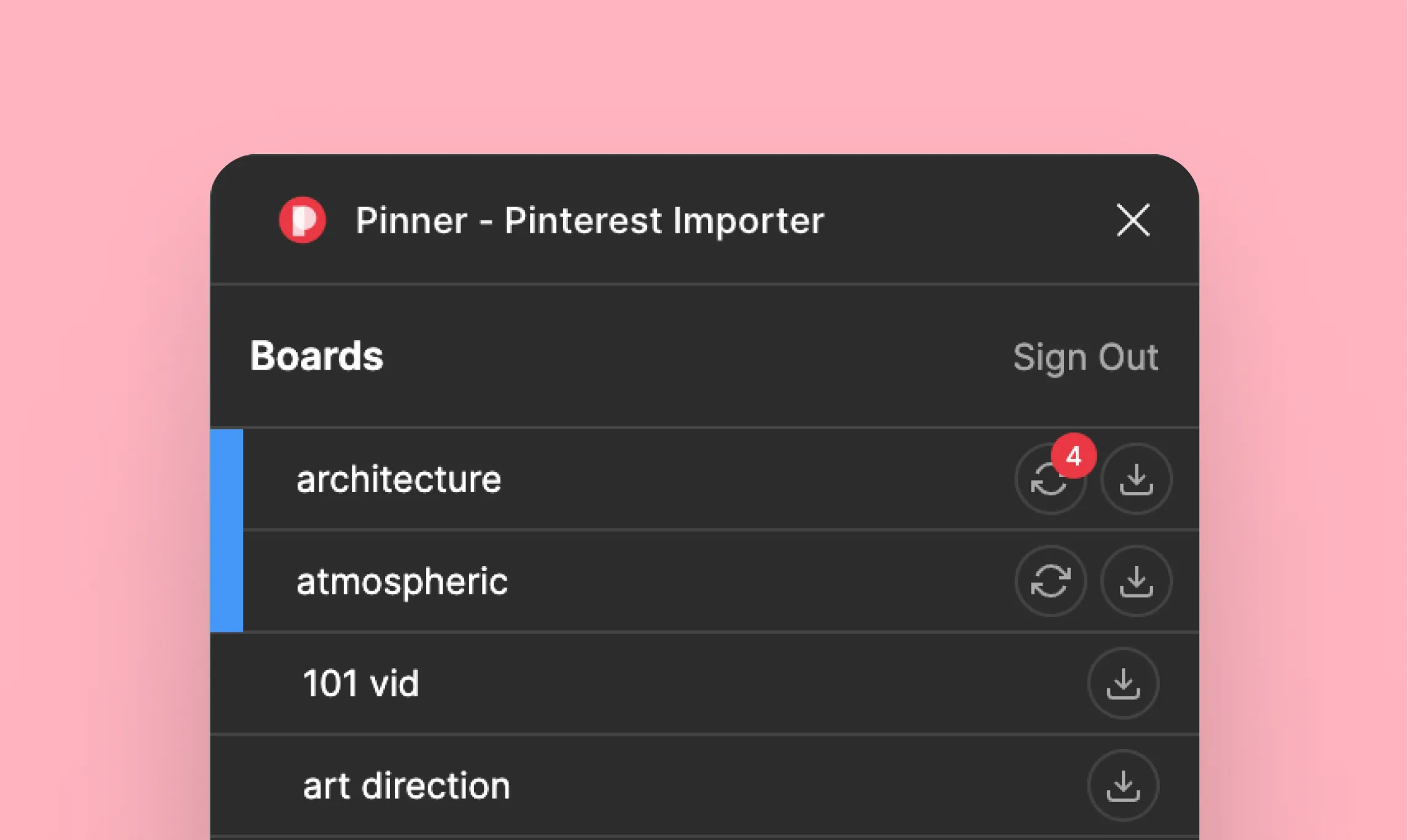
- You Control the Updates: Pinner will notify you with a badge when new pins are available, but it never syncs automatically. This gives you full control to accept changes only when you’re ready, preventing unexpected changes to your design files.
- Use the Manual Sync Button: While Pinner checks for updates automatically (every 5min), the manual Sync button is your best friend when you want to pull in those updates instantly. Just give it a couple of beats to let Pinterest’s API catch up with your flow.
The Bottom Line
Pinner’s sync feature is more than just a tool; it’s a new way of working. It’s designed for the reality of modern design teams: remote, asynchronous, and highly collaborative. By keeping your inspiration and your execution in perfect harmony, you free up your team to focus on what they do best: creating.